ProMax settings Free
Every option in the free theme. All of them are in Appearance › Customize and preview live before you publish.
| Customizer section | What's in it |
|---|---|
| ProMax Pro | What Pro adds, with links |
| Site Identity | Logo, site title, tagline, site icon (WordPress core) |
| Colors & Layout | Colour scheme, post layout, width, card height, menu bars |
| Header Image, Background Image | Image behind the header; site background (WordPress core) |
| Menus, Widgets, Homepage Settings | WordPress core. See Menus & widgets. |
| Theme Options | Post cards, latest posts strip, popular posts, single posts, footer, icon font |
| ProMax WooCommerce | Shop layout and shop features (only when WooCommerce is active) |
| Social Icons | Up to 7 icons in the top bar |
| Additional CSS | Your own CSS (WordPress core) |
Colors & Layout
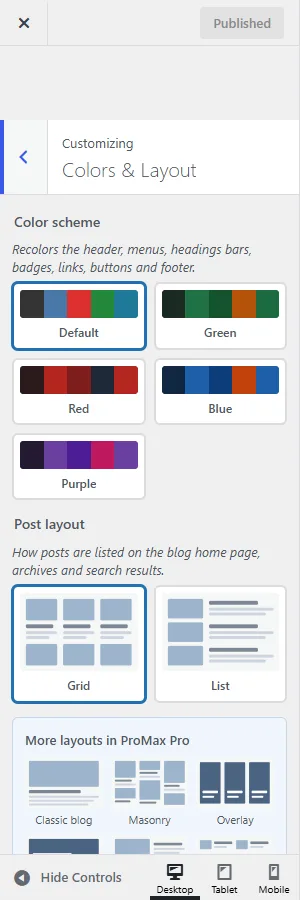
| Setting | Default |
|---|---|
| Color scheme — Default, Green, Red, Blue or Purple. See Colour schemes. | Default |
| Post layout — Grid or List. See Layouts. | Grid |
| Website width — 960–1920 px. | 1200 |
| Post card height — Equal height or Fit content. | Equal height |
| Top navigation bar — the coloured bar with the Top Navigation menu, home icon and social icons. | Enable |
| Main navigation bar — the white bar with the Main Navigation menu. | Enable |
| Header Text Color, Background Color — WordPress core colour pickers. | — |
Theme Options
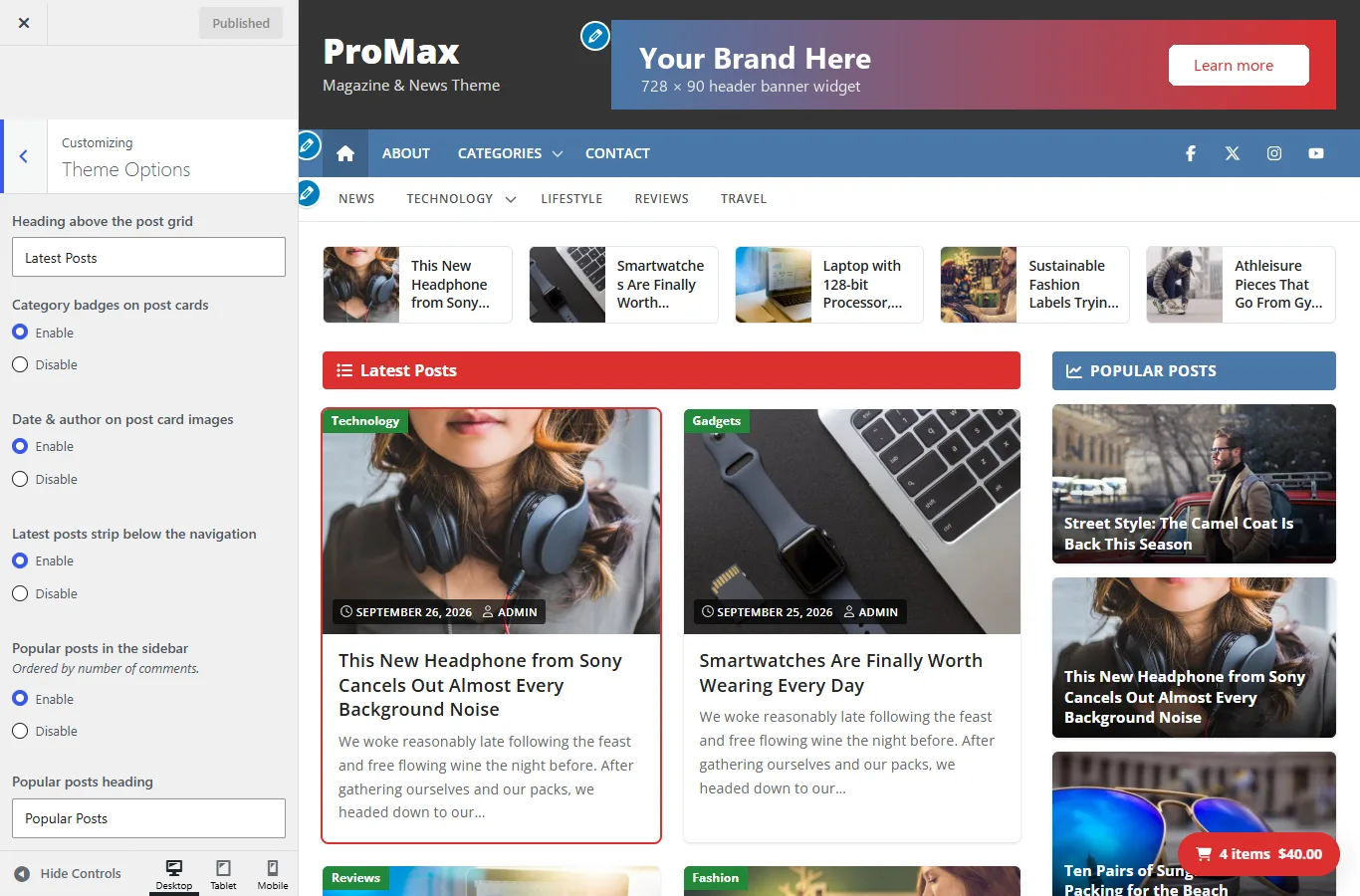
| Setting | What it does | Default |
|---|---|---|
| Heading above the post grid | Text of the coloured bar above the posts on the blog home page | Latest Posts |
| Category badges on post cards | Green category labels on card images | Enable |
| Date & author on post card images | Date and author stamp at the bottom of card images | Enable |
| Latest posts strip below the navigation | Row of the 5 newest posts with thumbnails | Enable |
| Popular posts in the sidebar | Posts with the most comments, at the top of the sidebar | Enable |
| Popular posts heading | Title above the popular posts | Popular Posts |
| Featured image on single posts | Featured image at the top of each post, with the title on the image | Disable |
| Author box below posts and pages | Author avatar, name and biography | Enable |
| Footer copyright text | Replaces “Copyright © [year]”. Links and basic formatting allowed. | Empty |
| Load Font Awesome 4 icon font | Only needed for fa fa-… icon classes in menus, widgets or posts. The theme's own icons don't need it. | Enable |
If you don't use Font Awesome classes anywhere, turn Load Font Awesome 4 icon font off. That saves about 100 KB on every page.
ProMax WooCommerce
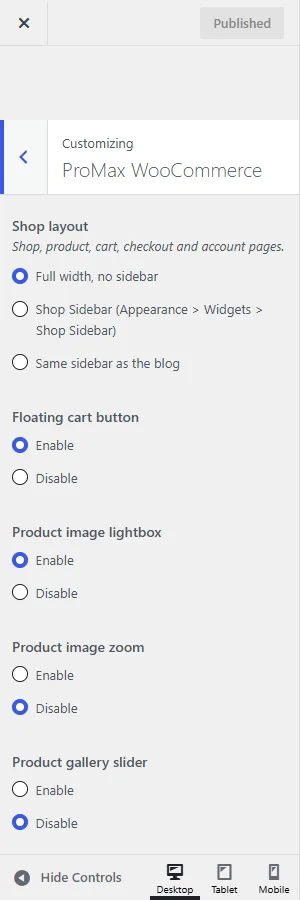
| Setting | Default |
|---|---|
| Shop layout — Full width; Shop Sidebar; or the blog sidebar. Applies to shop, product, cart, checkout and account pages. | Full width |
| Floating cart button — cart total in the bottom corner, updates as products are added. | Disable |
| Product image lightbox | Enable |
| Product image zoom — zoom on hover. | Disable |
| Product gallery slider | Disable |
| Quick Checkout button — next to Add to cart on simple products; goes straight to checkout. | Enable |
| Quick Checkout button text | Quick Checkout |
More in WooCommerce.
Social Icons
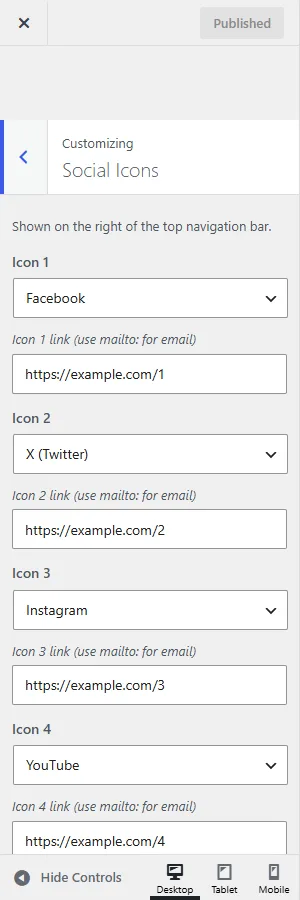
Up to 7 icons on the right of the top bar. For each one, pick the network and paste your profile URL. Use mailto:you@example.com for an email icon.
Networks: Facebook, X (Twitter), Instagram, YouTube, LinkedIn, TikTok, Pinterest, Threads, Bluesky, Mastodon, WhatsApp, Telegram, Discord, Reddit, Snapchat, Twitch, Vimeo, Spotify, Tumblr, Flickr, VK, GitHub, Stack Overflow, Dropbox, Etsy, Amazon, Tripadvisor, Google, Apple, Android, Windows, WordPress, Bitcoin, RSS feed and Email.
Icons open in a new tab and carry rel="me", which verifies your profile on Mastodon and similar sites.
ProMax Pro section
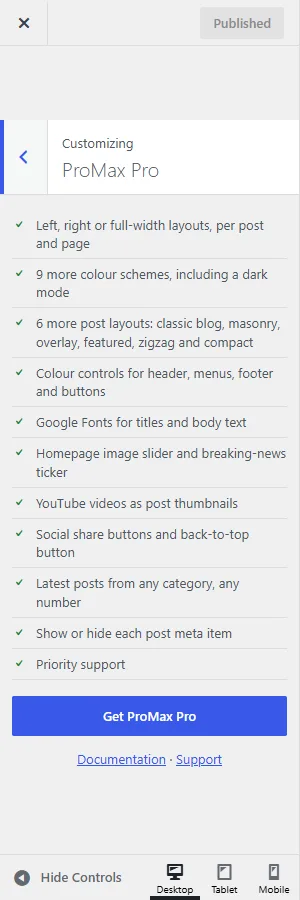
The first section in the Customizer lists what ProMax Pro adds, with links to the Pro page, this documentation and support. It's information only and doesn't change your site.